
Techniques and applications
Batch engraving: submit names and numbers clearly
One checked final list links each product to its name, number and variant. Prepare data and quantities before production.
Batch engraving starts with one final list
Batch engraving combines product, design and variable data in one order. Put names, numbers and product variants in one checked overview. Use a fixed reference per specification, store codes as text and total quantities separately. A clear list avoids guessing a product or name during preparation.
Separate fixed layout from variable data
For a gift batch, the logo may remain identical while each name changes. On identification plates, layout and field labels can stay fixed while part numbers vary. Define fixed elements once in the brief and put variable content in clear columns.
Give each specification its own reference, also usable on packaging or supply labels. Keep variant, text, quantity and delivery group on the same row. Avoid separate names in emails alongside a file containing the other details.
Useful columns include reference, product/model, colour or variant, engraving text, number, quantity and delivery group. Include only what is needed. Identify columns actually engraved versus those used only for production or distribution.
Protect leading zeros, punctuation and long numbers
A spreadsheet may turn 0017 into 17, display long codes differently or interpret values as dates. Set relevant columns to text before entry or import. Changing cell type afterwards may not restore characters already lost.
Check the saved file again after reopening. CSV export also depends on separators and character encoding. Names with accents, apostrophes or special characters must remain intact. Agree file format if unsure.
Do not use cell colour alone to flag changes or exceptions; export may lose it. Write the instruction in an explicit column or change list linked to the row reference. Omit confidential data unnecessary for production or distribution.
Batch engraving: 4 rows, 5 items
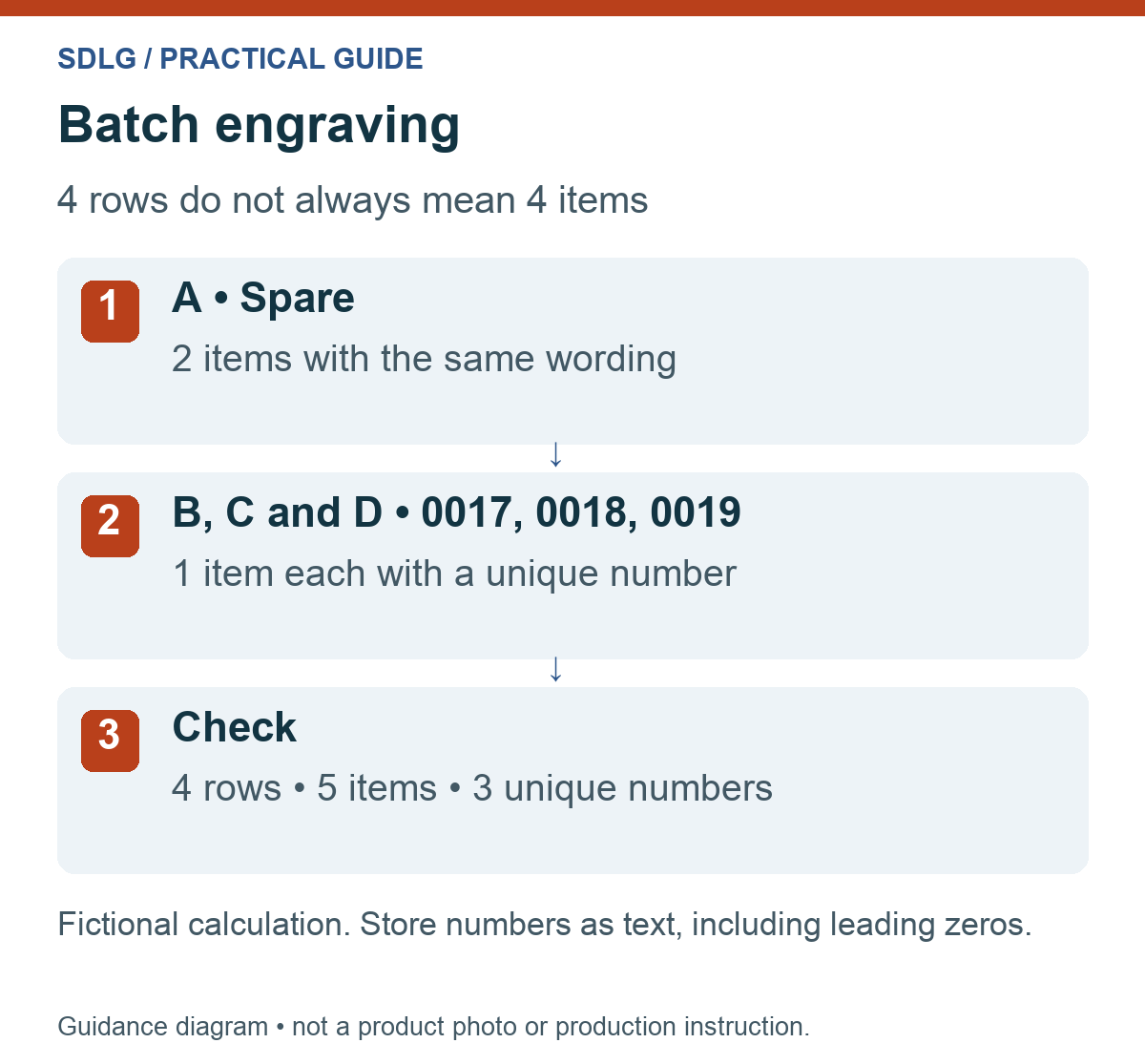
Suppose you order two identical spare plates and three individually numbered products. Four rows then represent five products. Row count is not necessarily quantity. This example is fictional:
- Row A: model X, text “Spare”, quantity 2.
- Row B: model Y, number “0017”, quantity 1.
- Row C: model Y, number “0018”, quantity 1.
- Row D: model Y, number “0019”, quantity 1.
Check both total quantity and unique code count. If every item needs its own identity, quantity 2 against one unique number may be unintended. If duplicate wording is deliberate, say so explicitly.
For named gifts, keep product colour or size on the same row. The name Sam alone does not identify the variant. An internal recipient reference can help distinguish identical names.
Check data and design separately
An attractive example does not prove every list row is correct. Check two questions: is the data right, and does it fit the product? You check spelling and allocated codes; SDLG assesses design feasibility on the chosen material.
- Content: names, numbers, characters and order are final.
- Completeness: no unintended blank rows or missing products.
- Uniqueness: duplicate codes are explained or corrected.
- Quantities: total and distribution by variant are correct.
- Exceptions: longest text, smallest item and different materials are identified.
- Specification: position, reading direction and any trial are agreed.
The longest name needs particular attention. A layout suited to four letters may differ for twenty. Agree whether font size, line breaks or overall size may change for exceptions. Do not leave this decision to an accidental lack of space.
For identification plates or scannable codes additional checks may be needed. A scanned code must identify the correct item or destination; being technically scannable is insufficient.
Manage changes, repeat orders and partial deliveries
Date and version the final list. For a change, identify the superseded version and amended references. Send a complete replacement list with a short explanation. No one should need to merge several attachments to reconstruct the current order.
For changes during production, first establish which products are already processed. An amended digital file does not change an existing engraving. Costs and schedule implications must be agreed again.
For repeat work, retain model, material, logo version, position and last allocated number. Assess whether the specification still suits a new product variant. For partial deliveries, give each group’s quantity, destination and required receipt date.
For anniversary gifts, numbering such as 1/40 needs extra care: a later larger total does not automatically fit. Read our anniversary gift guide if quantity may still change.
From data list to a real plate
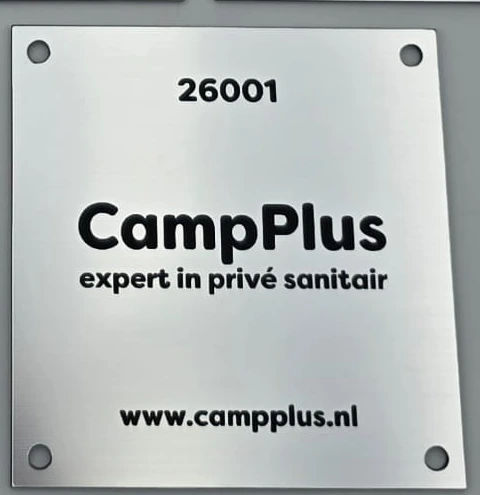
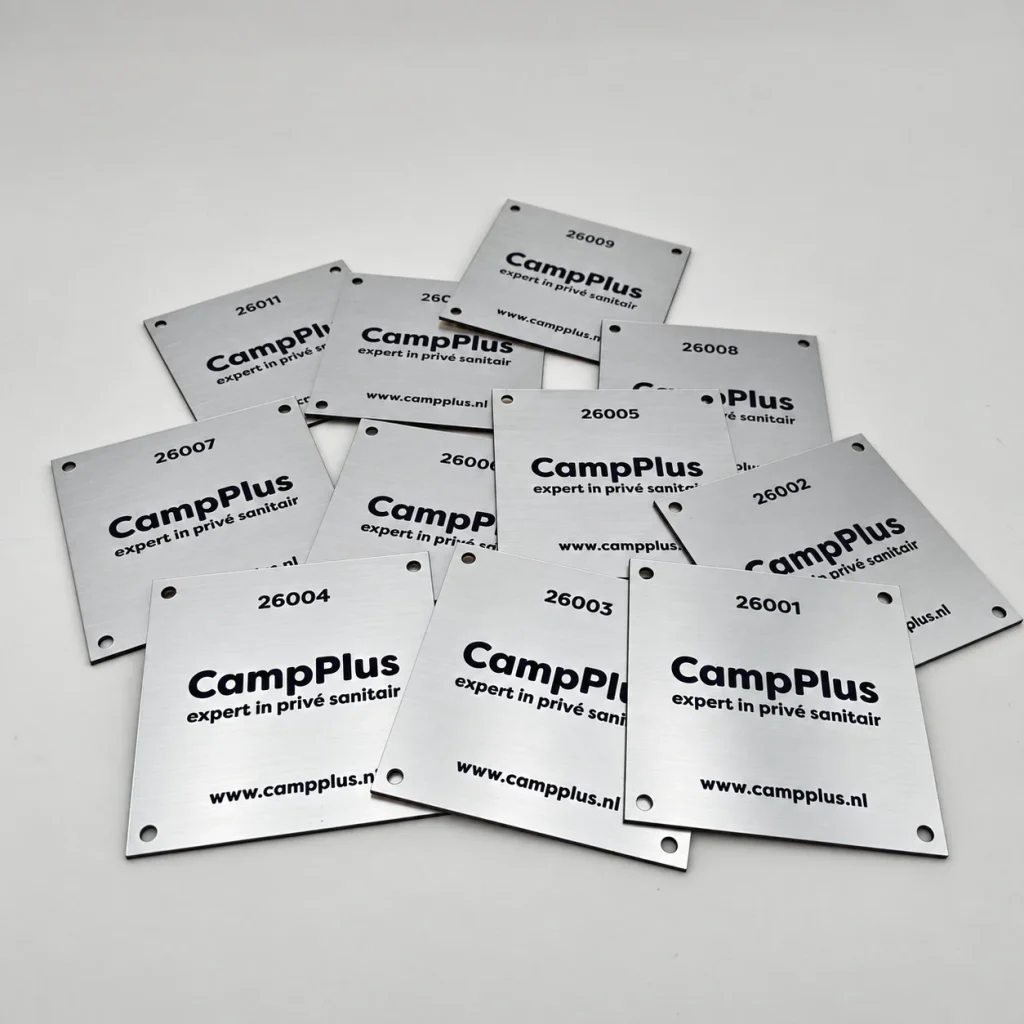
For CampPlus we applied sequential numbering to 111 plates. The detail shows number 26001 beside the fixed logo and web address: variable item data within a consistent layout.
Frequently asked questions about batch engraving
Can batch engraving combine several positions on one item?
Give each position its own field or clear reference, such as front logo and rear number. Specify reading direction too. A row containing two texts does not identify their positions without that explanation.
How do I list spare products without a personal name?
List them as a separate, identifiable variant and explicitly state “no personal name”. A blank field could also mean missing information. Clarify whether the fixed logo alone or no engraving at all is required.
What happens if I change a name after approval?
Send the change with its product reference and ask whether production has started. A new list cannot undo an existing engraving. SDLG discusses execution and scheduling consequences before processing the change.
How can the CampPlus case inform my own batch?
Its 111 plates combine a fixed layout with changing numbers. Apply that batch engraving principle by separating shared design from variable information. Do not automatically copy the project’s material, dimensions or numbering.
Which list information does SDLG not need?
Send the wording and references needed for engraving and allocation. Home addresses or staff information unrelated to that work do not belong in the production list. Keep delivery details separate from engraving content where appropriate.
Enquire about batch engraving with sample rows
You need not have a full production plan to enquire about batch engraving. Specify product, material, total quantity, desired date and what changes per item. A few representative rows help assess the job.
SDLG then discusses layout, data submission and any trial. Preparation, model count, engraving size, positions and data processing together shape the proposal. Larger batches and partial deliveries are scheduled by agreement.
Discuss your engraving batch ↗
SDLG works from Breda and ships products throughout the Netherlands and Belgium. Discussions, drop-off and collection are by appointment. See our contact details and directions.
Production and delivery
Lead time: 1–5 working days, subject to stock availability. For larger projects, we agree the lead time individually. The schedule is confirmed after checking stock and the proposed work. Shipping transit time is separate. Delivery and shipping guidance.